
Transforming Legacy Utilities Reporting
Redesigning a 10-year-old B2B2B utilities platform.
Client
THG Energy (Utilities)
Platform
Web (Desktop)
My role
UX/UI Digital Product Designer
Timeline
2024-2026
Introduction
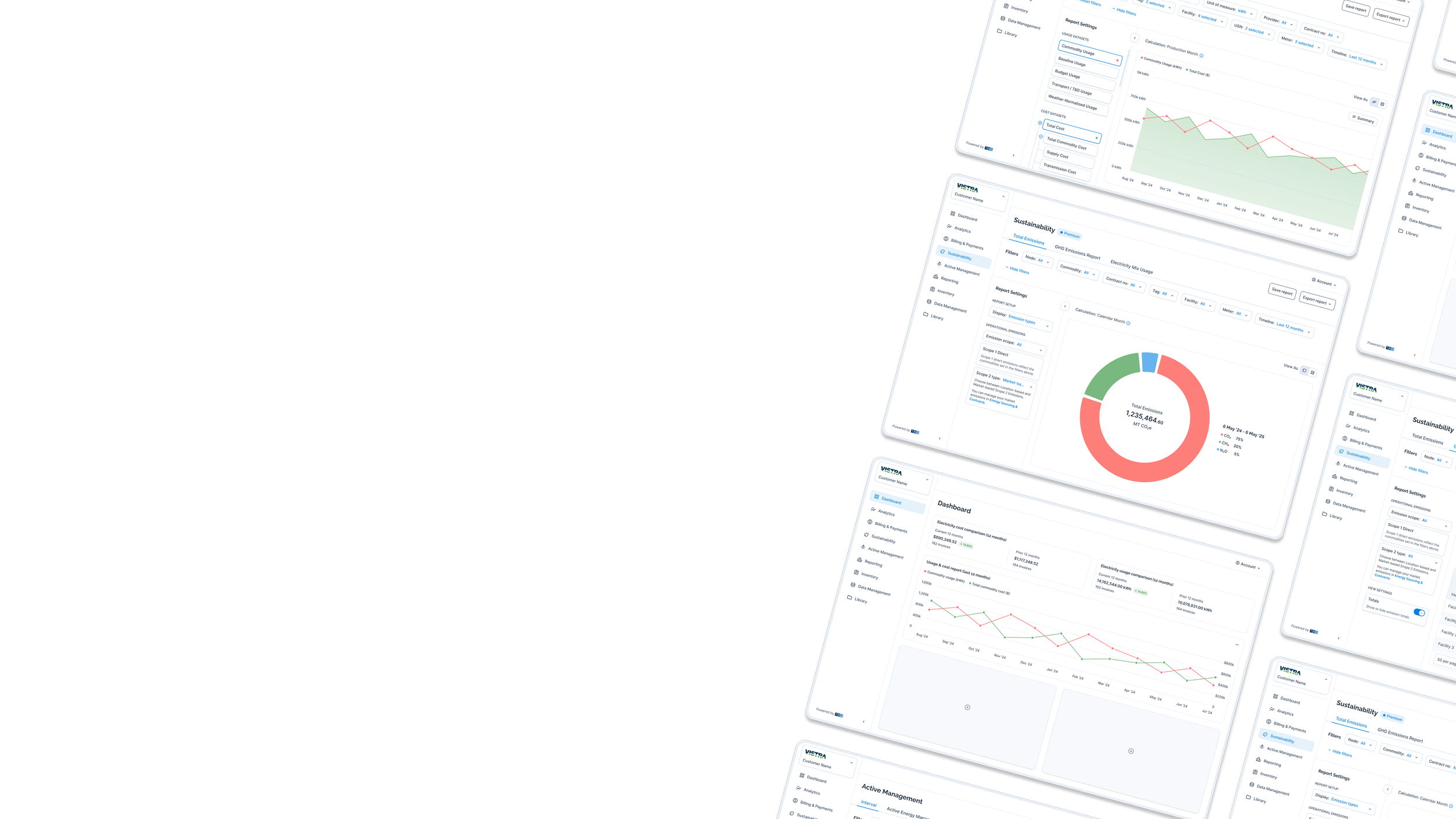
I focused on redesigning a 10-year-old B2B2B utilities reporting platform used by agents, brokers, end-customers, and administrators to manage utility reporting.
1
Product
Increase client trust and support long-term retention.
2
Business
Demonstrate the product's value to secure continued investment.
3
Scaling
Build a scalable foundation for future growth and team expansion.
Empathize & problem framing
Key Challenges
Data clarity & gathering
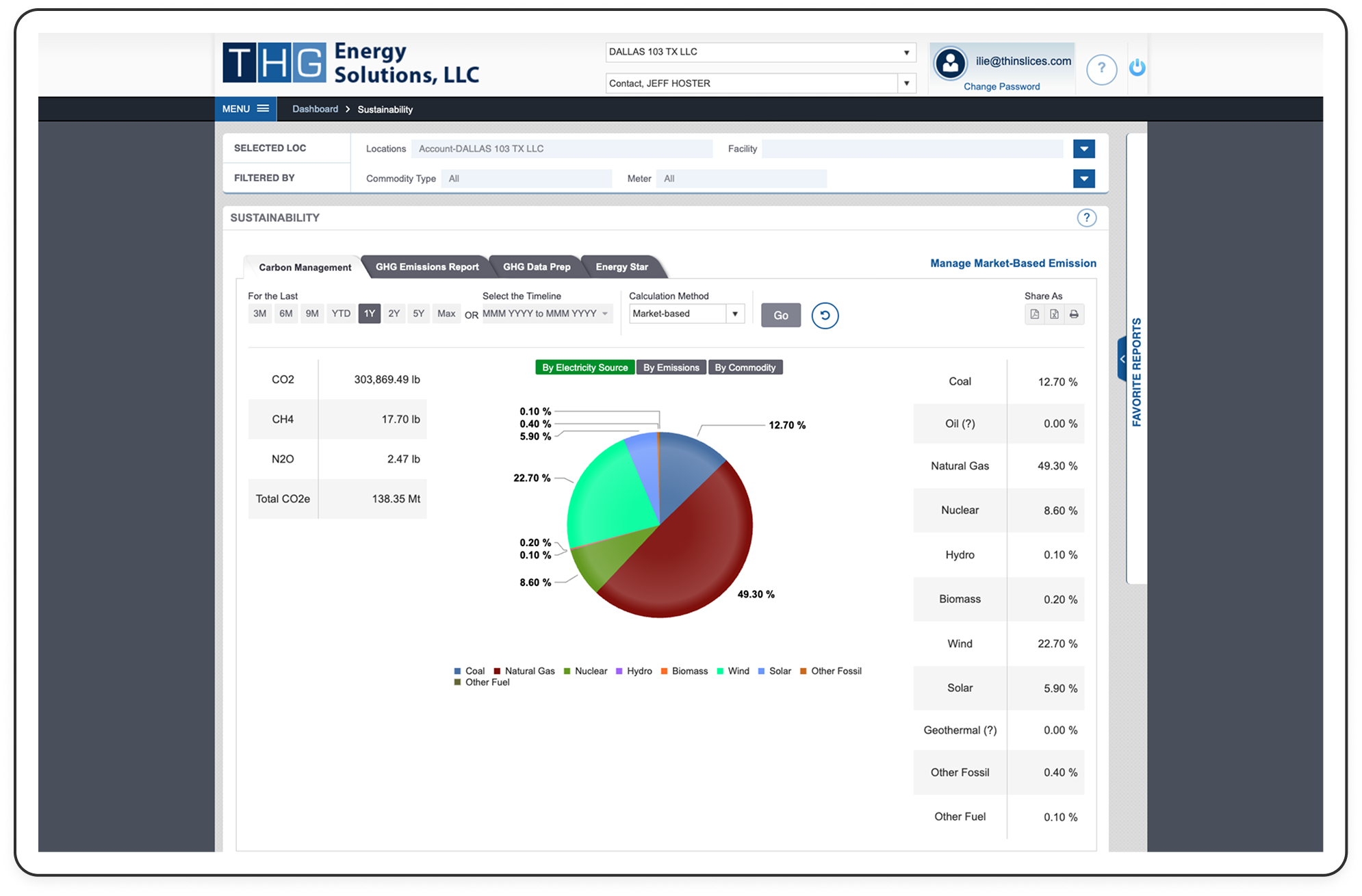
Users struggled to trust and access their data, while fragmented workflows made account creation slow and inefficient, taking up to 90-120 days.
Invisible product value
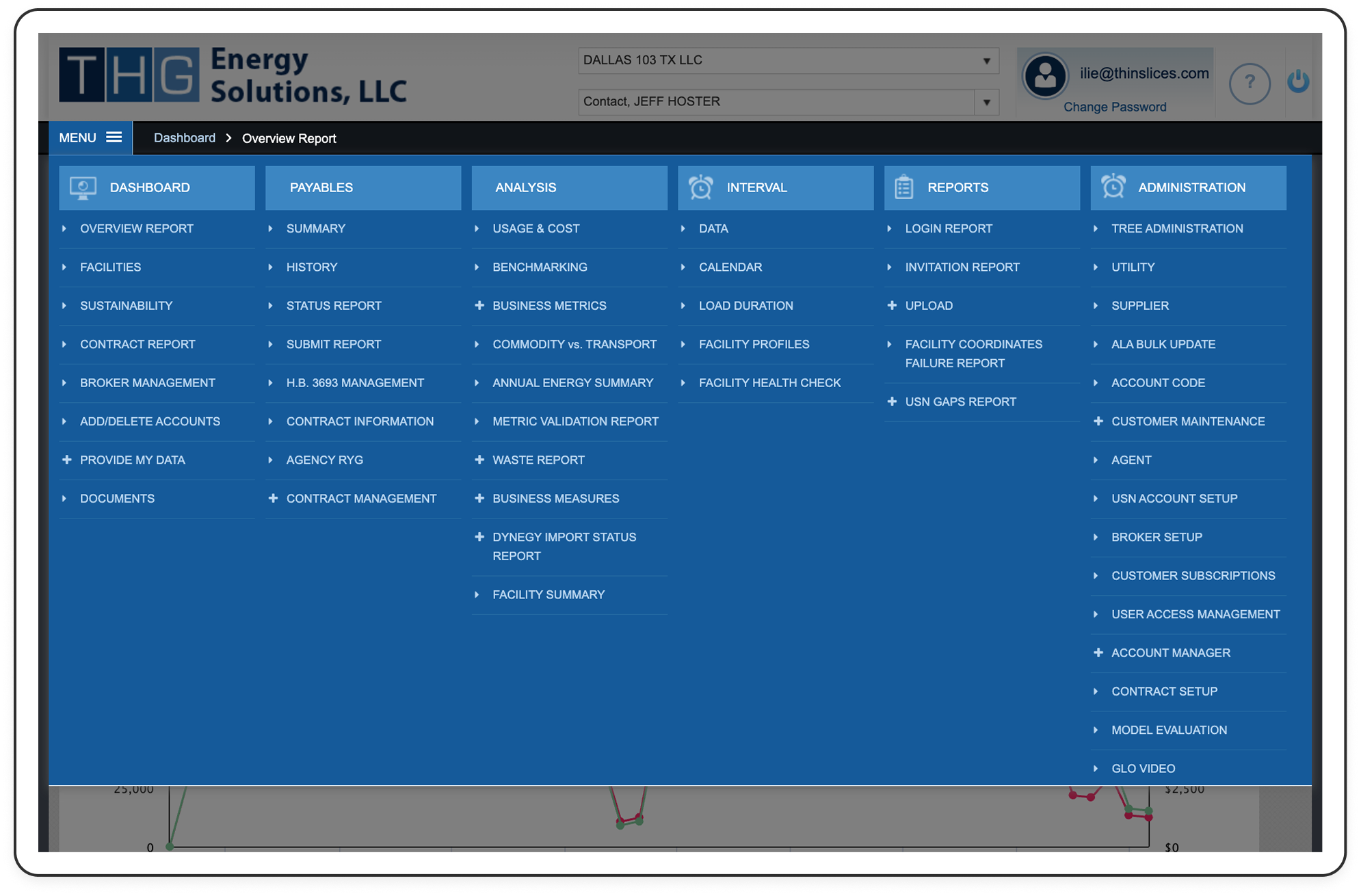
Users struggled to recognize the platform's full capabilities because navigation and information architecture didn't reflect their mental models, leaving valuable reporting features underutilized.
Unmet agent / broker needs
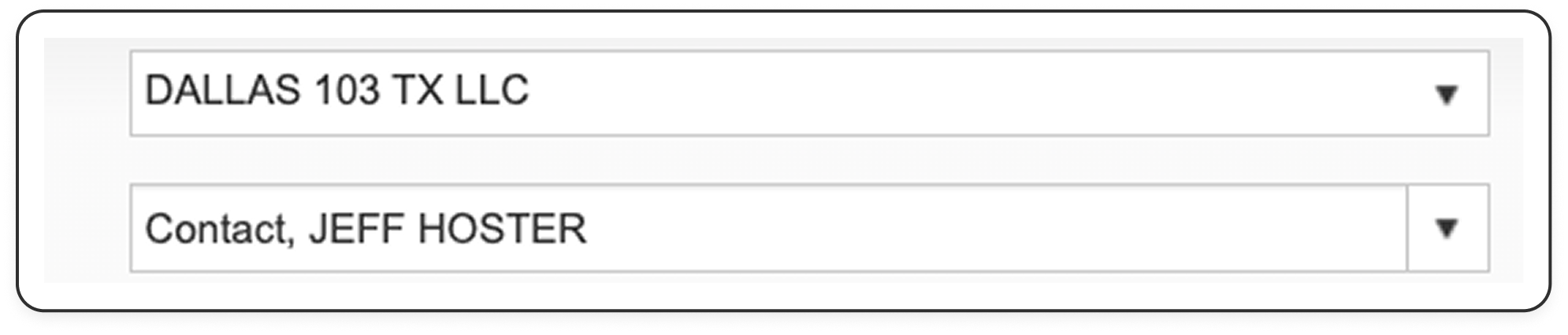
Agents lacked a unified view of their customer portfolio, making it difficult to navigate between accounts and manage client relationships efficiently.
Key Insight & Problem Framing
Initial perception
Stakeholders focused on improving the existing Excel-based account creation process, driven by familiarity with their current way of working.

Problem reframed
HMW we unify the account creation fragmented workflow into a single, cohesive experience and reduce it from 90 to 30 days?
Ideation
Product Strategy
Unify & simplify the product
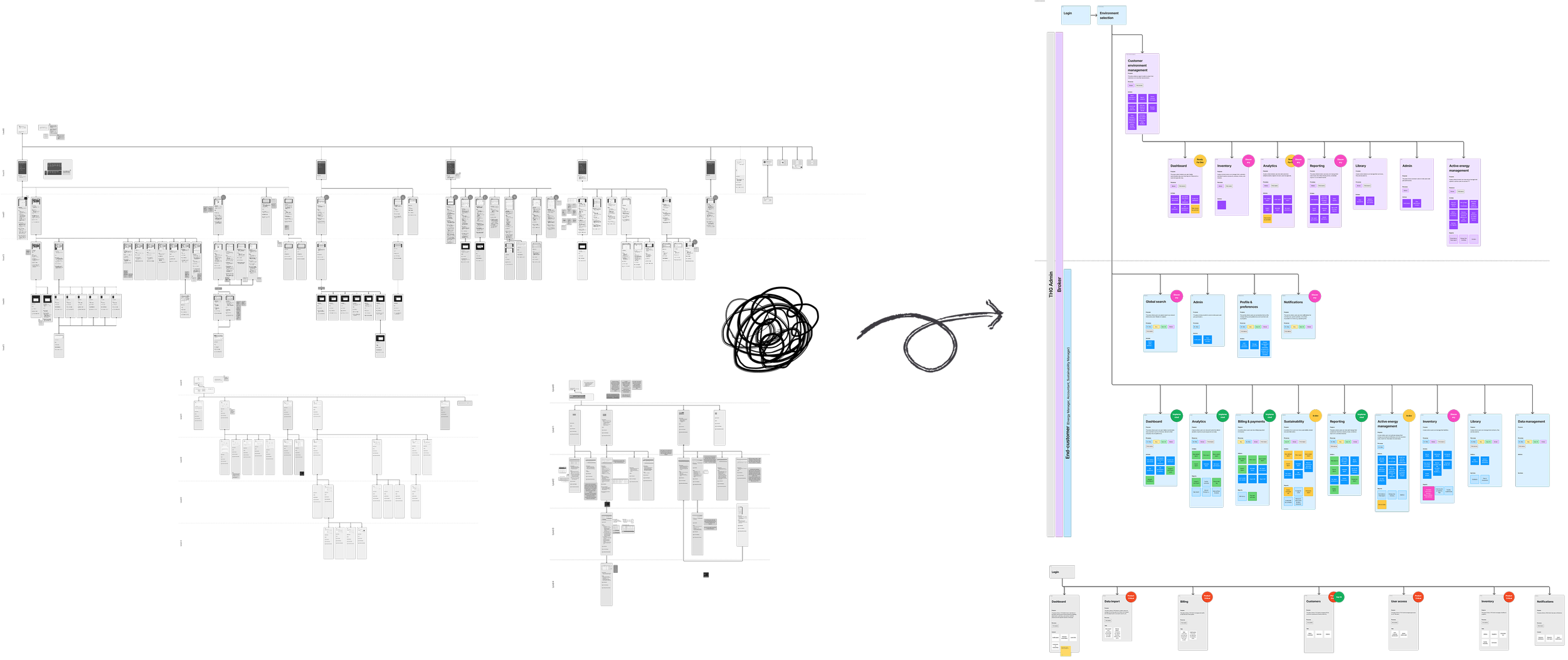
Working closely with colleagues across product and engineering, I helped drive the consolidation of several THG products into a single platform experience.
My contribution focused on redefining the information architecture and user flows to reduce complexity, eliminate duplication, and preserve high-value functionality across the unified system.
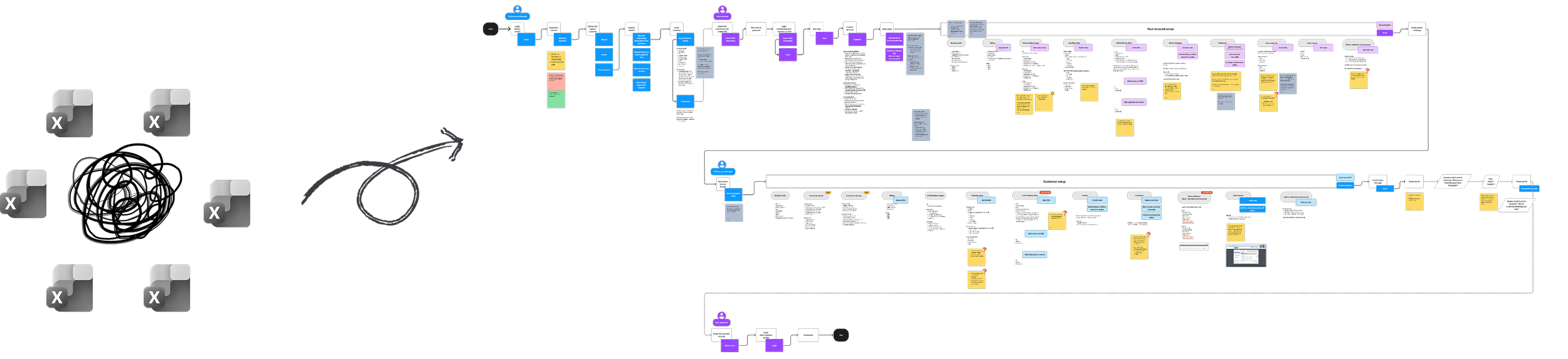
Redesign account creation
As part of the cross-functional effort, I proposed a redesign of the account creation strategy. The goal was to transform onboarding from a fragmented process into a unified journey, improving data collection, customer communication, and visibility across the onboarding lifecycle. The goal was to reduce the onboarding time from 90-120 days to approximately 60 days.
Make product value visible
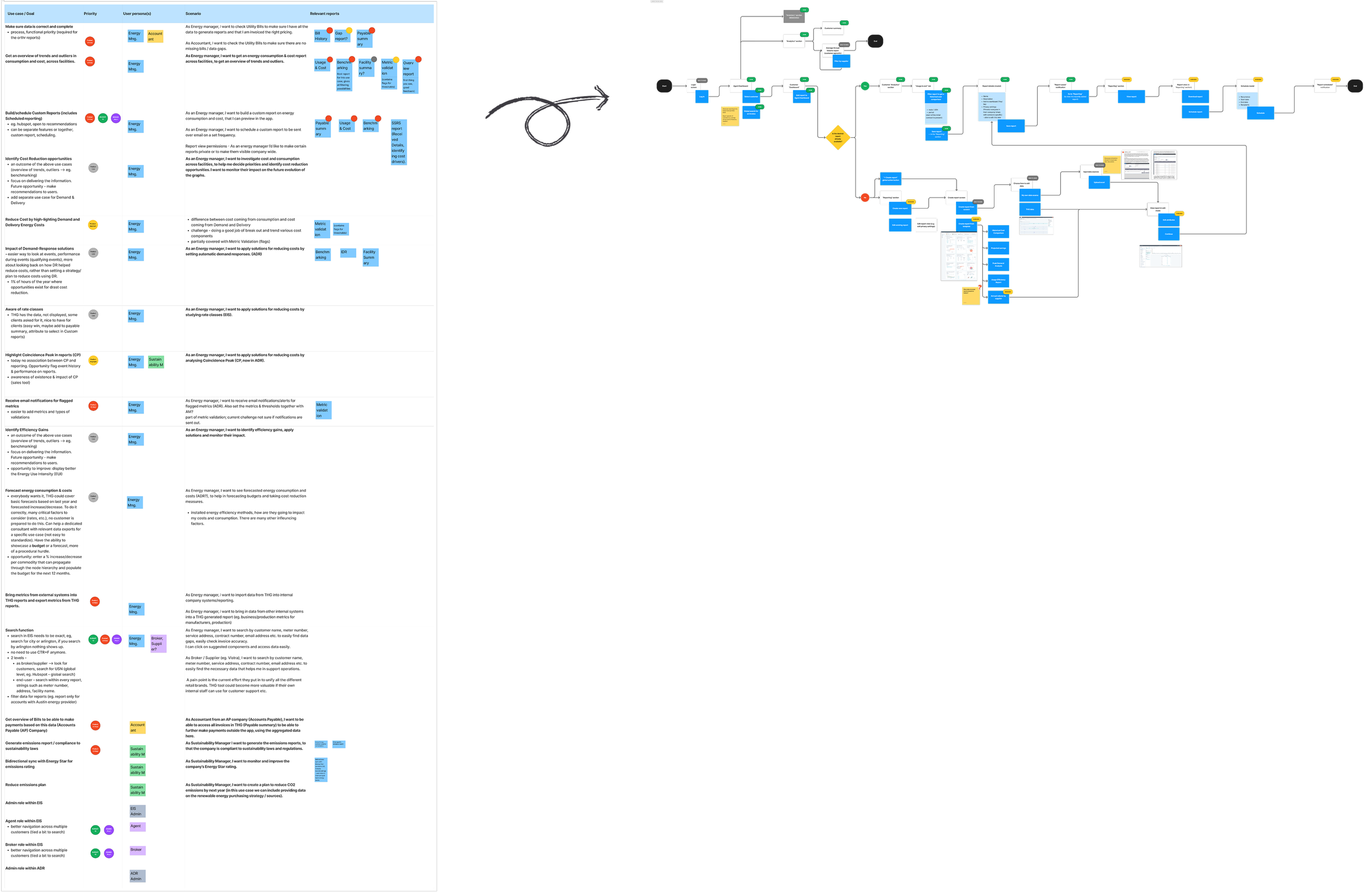
The team aligned on prioritizing key capabilities including dashboards, scheduled reports, email notifications, data import/export, global search, and sustainability reporting.
My role focused on translating these priorities into a coherent user journey, illustrating how the features would work together and making sure the whole team was aligned before moving into prototyping.
Execution
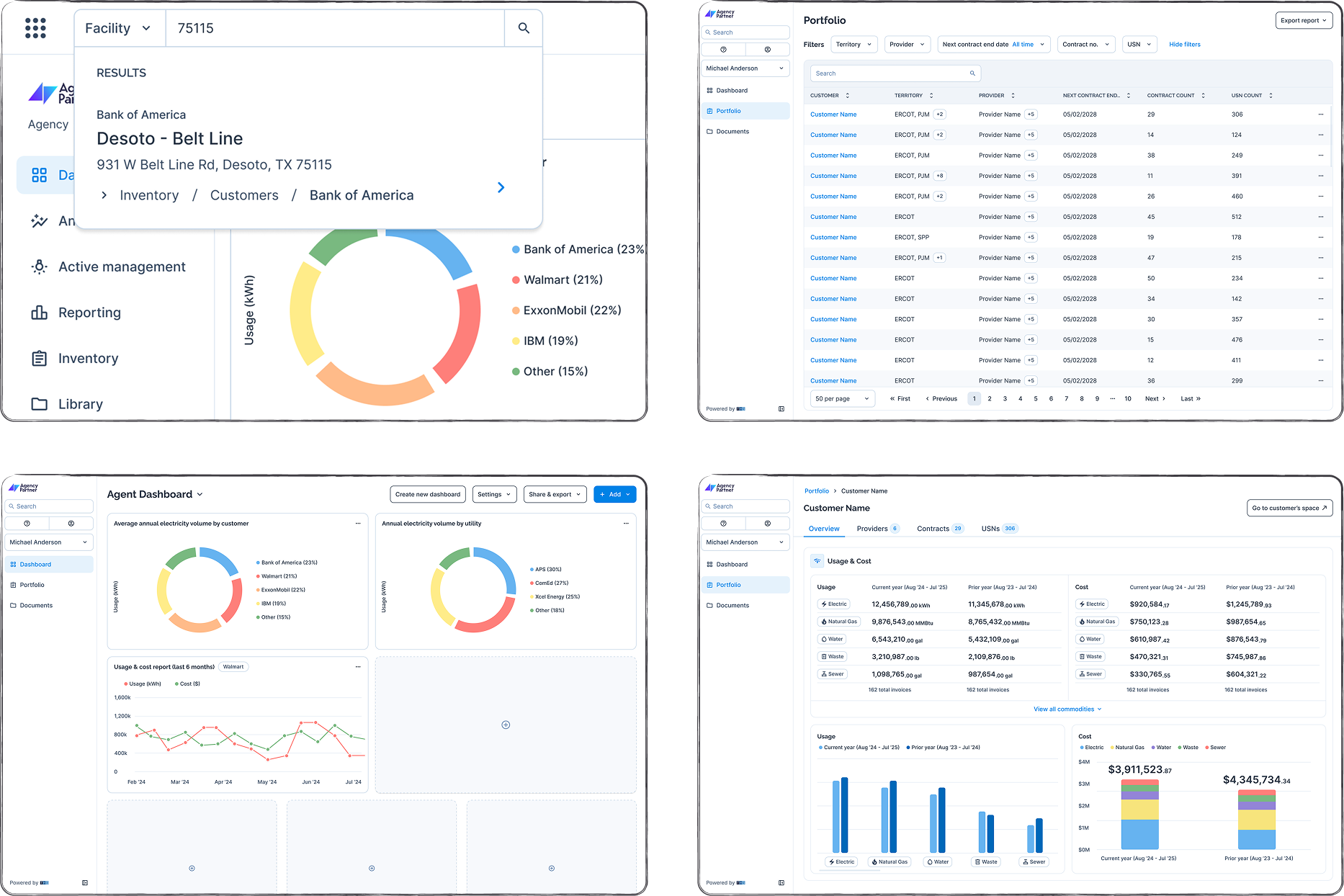
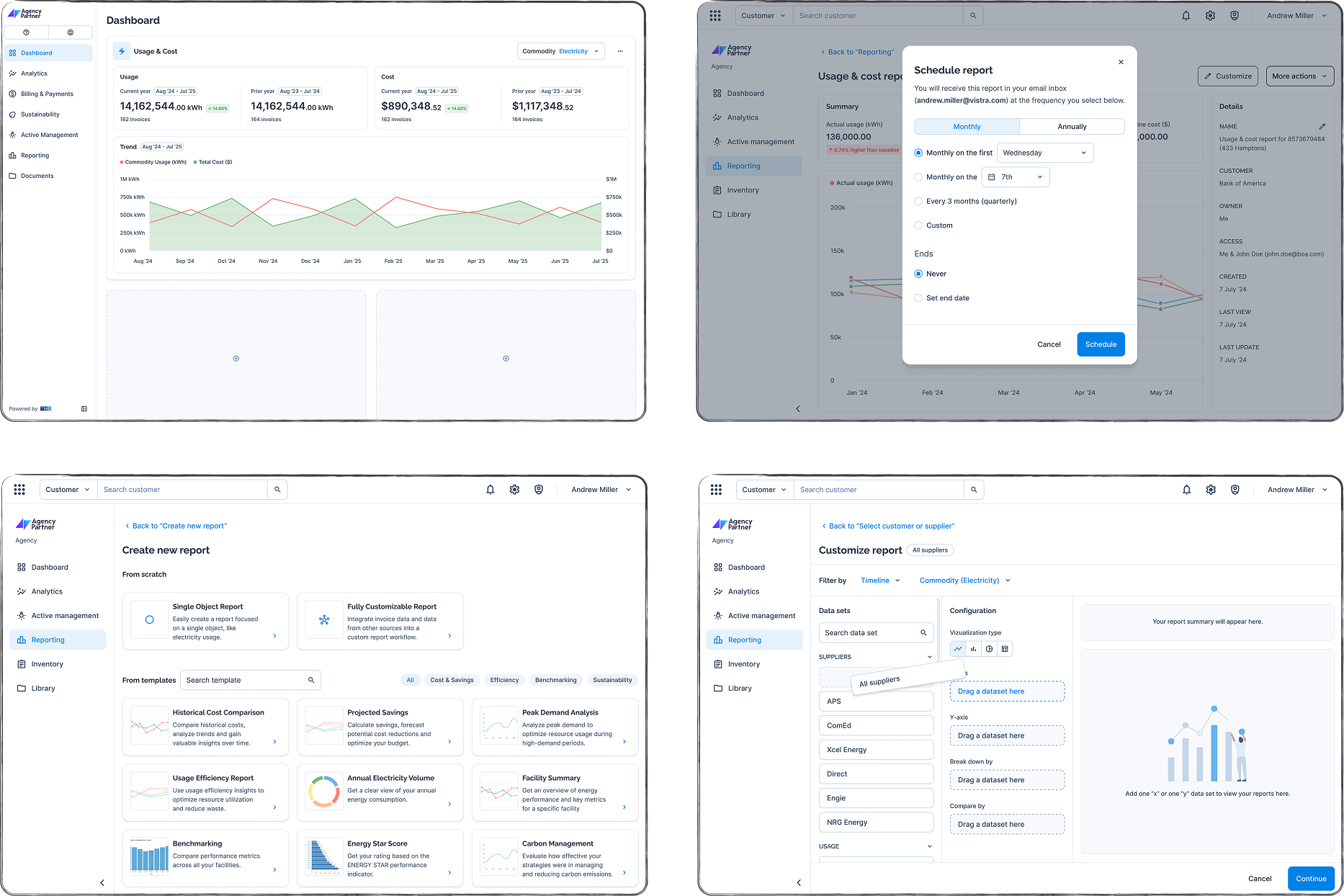
Agent Features
Core features
✅ Global search (customers, USNs, invoice no, facilities);
✅ Portfolio overview.
Design opportunities
💡 Custom dashboard with customer-agnostic reports;
💡 Customer portfolio.
Customer Features
Core features
✅ Customize, save & schedule reports;
✅ Data import from multiple sources.
Design opportunities
💡 Custom dashboards (Energy Managers, Accounting Managers, Sustainability Managers);
💡 Report templates (covering the custom report requests);
💡 Custom reports (from scratch).
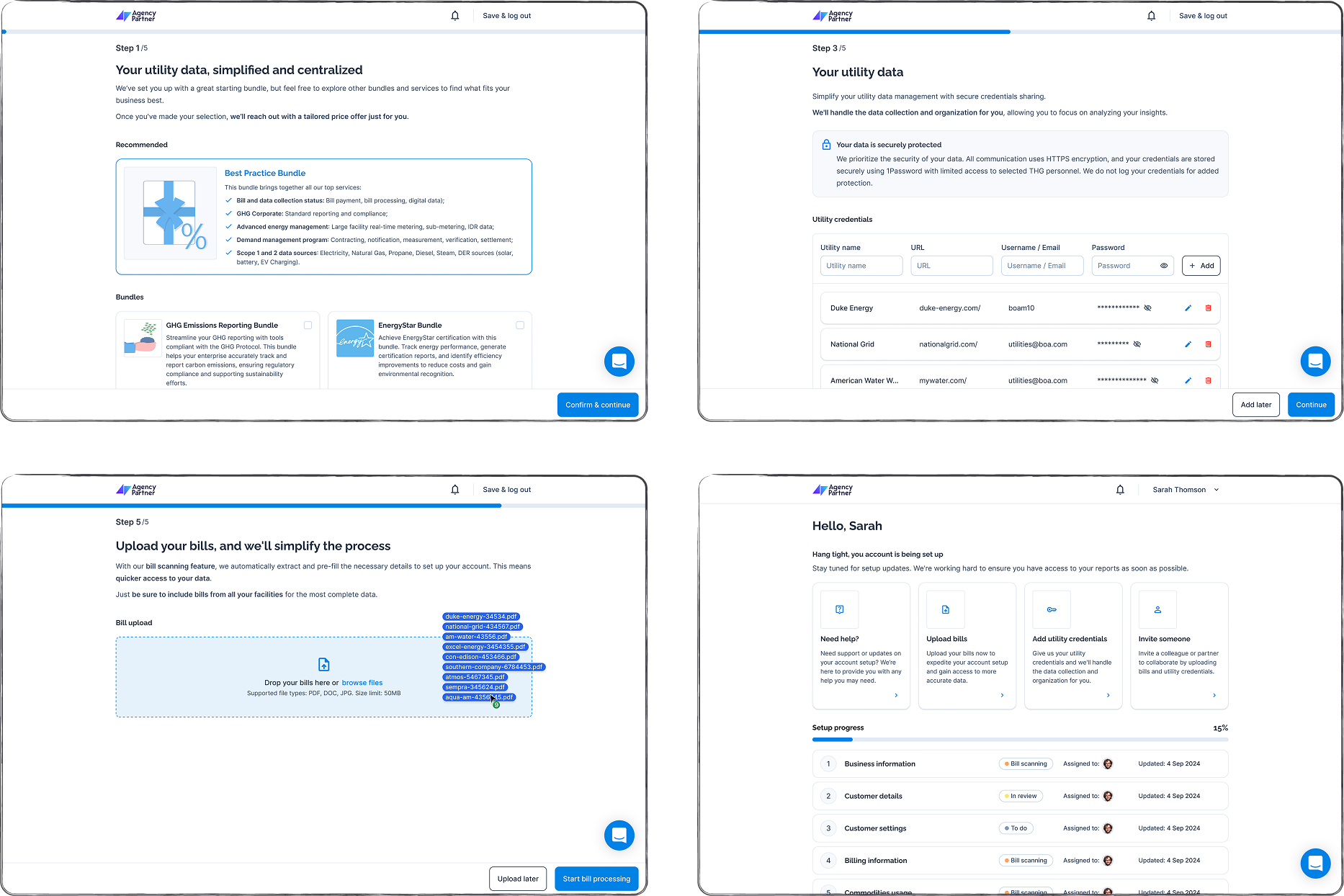
Account creation
Core features
✅ Choose preferred type of input;
✅ Allow AMs to upload CSVs sent from customers;
✅ Users should be allowed to skip certain steps.
Design opportunities
💡 Advertise bundles & add-ons;
💡 Customers can provide account credentials;
💡 Customers can upload their invoices themselves;
💡 Customers onboarding dashboard.
Success metrics
Results
Conversion
All users were redirected to the rebuild with only ±10% going back to the old platform for specific legacy features.
Revenue
After suggesting to feature additional services in the app, new sustainability & AEM revenue streams were set in place.
Retention
Investor funding was secured for at least 2 more years with a higher investment amount than predicted and expanded the outsourced team from 3 to 11.
UX Growth
I contributed to growing the UX marturity From Absent (1) to Emergent (3) by educating the team on UX practices and influencing decisions.
Learnings
Retrospective
Product
I would have pushed for scheduled reports to be prioritized higher (most users don’t login as often as they check their email inbox).
Documentation
As documentation became necessary RAG (Retrieval-Augmented Generation) could have been the main internal documentation that could query product information conversationally.
Research
I would use more research tools like Heap Analytics and even synthetic users when access to users is limited.